
Progressive overload app for smarter strength progression
Progressive overload is simple in principle: do a little more over time. The tedious part is the bookkeeping. Lift keeps that record for you, shows what you did last time next to the set you are about to start, and handles the progression rule for each exercise.
- See last session's weight and reps on the set you are logging
- Get a weight and rep target for every working set
- Set progression per exercise, automatically or by hand
Why progressive overload gets annoying to manage
Almost nobody stalls because the principle is complicated. It falls apart in the details:
- Remembering what you lifted last time, set by set, across a dozen exercises.
- Deciding whether this is the session to add a rep or add weight.
- Running one rule on a heavy compound and a different one on an accessory.
- Noticing a stall while it is happening instead of three weeks later.
- Telling an actual upward trend apart from one good day.
A notebook handles all of this. It just costs attention during the session, and it is easy to skip a note on the day you needed it most.
How Lift handles progressive overload
Lift keeps the whole progression loop in one place: what you did, what to aim for now, and whether the numbers are actually moving.
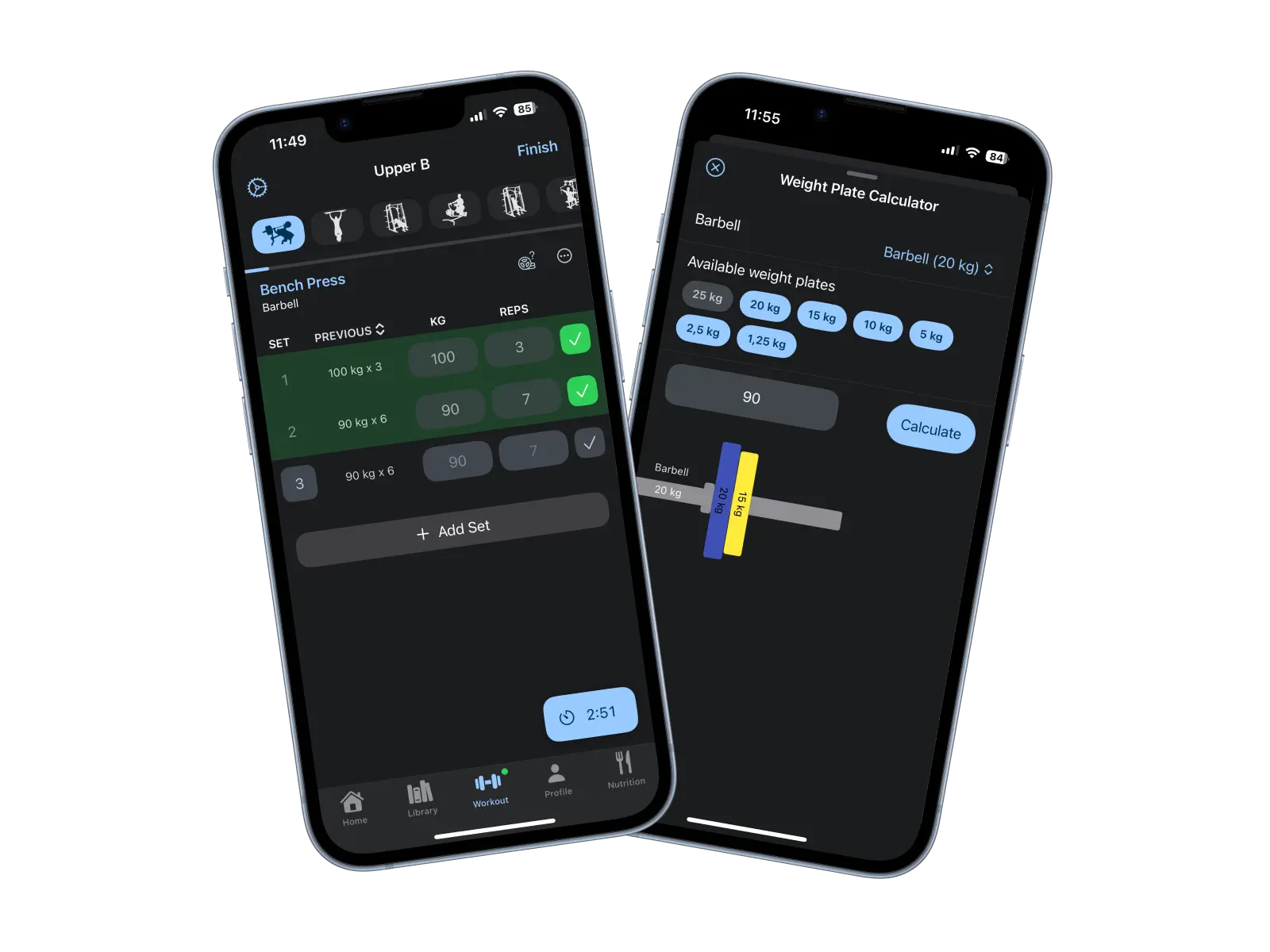
Previous performance, on the set you are doing
Every set shows what you lifted for that exercise last time, right next to the weight and rep fields. No scrolling back through history mid-workout.
Weight and rep targets
Lift shows a target for each working set. You still log what you actually completed, and that recorded set is what the next target is based on.
Automatic progression
Turn automatic progression on and Lift builds your reps at the current weight, then increases the load and resets the rep range once you reach the top of it. It can also ask how you feel before a session and adjust the targets to your energy that day, so a bad night does not have to become a failed workout.
Progression per exercise
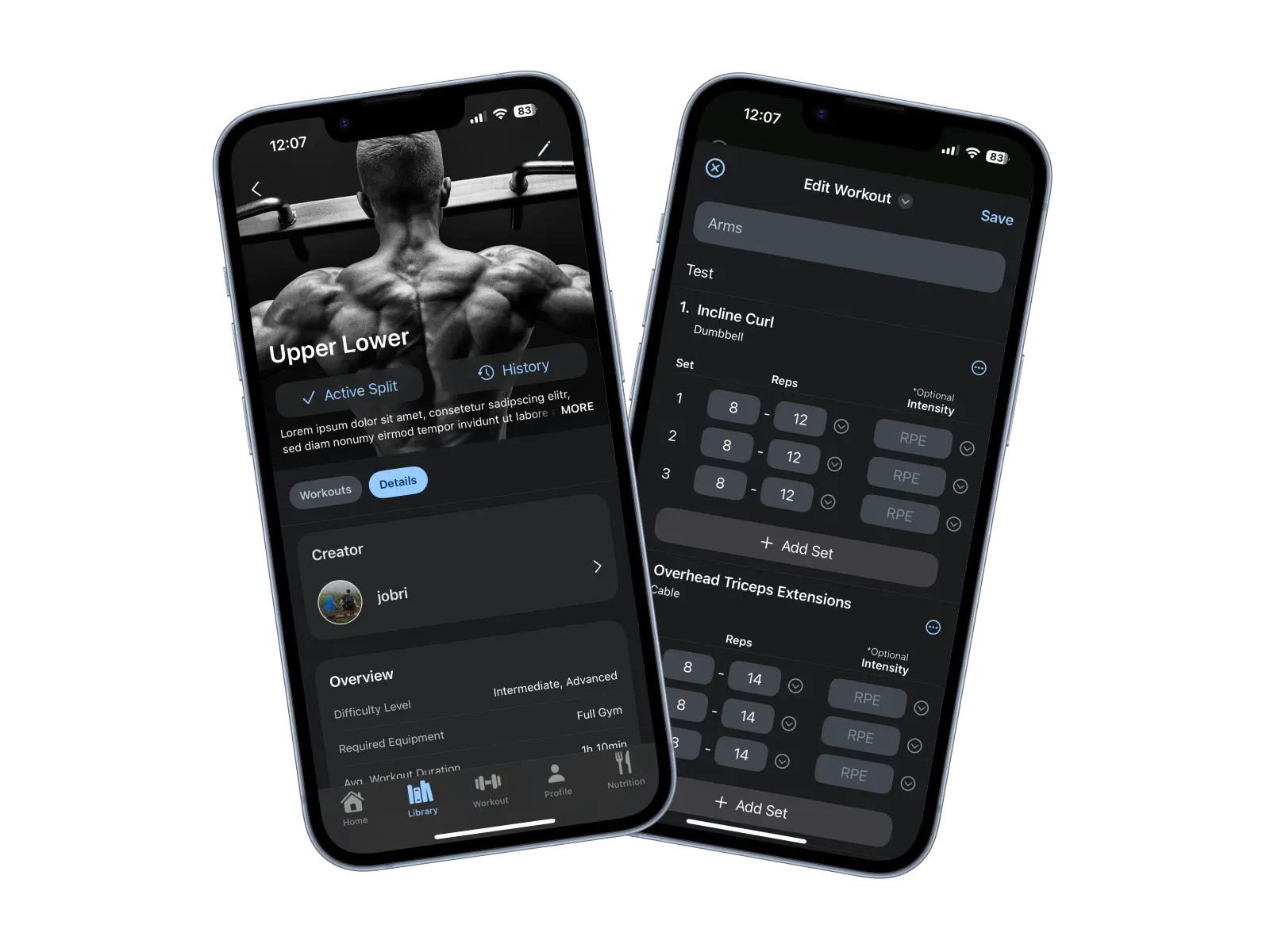
Progression is configured on the exercise, not on your whole plan, so a squat and a lateral raise can run completely different rules.
Periodization when you want it, free
If you would rather plan progression in blocks, set a multi-week periodization cycle on an exercise instead of a session-to-session rule. Four cycles are built in, linear, reverse linear, weekly undulating and 5x5 strength, and you can save your own. This is part of the free app.
Your routine, planned and scheduled
Build and schedule your own routines, import Lift and community programs, or generate a split. Rep ranges and progression live on the exercises inside them.
Put your routine in and let Lift keep the record
Lift is available for iOS and Android. Log a session, and the next one already shows you what you lifted and what to aim for.
A concrete example: double progression
One common way to run progressive overload is double progression. You hold the weight, add reps until you reach the top of your range on every working set, then add weight and build the reps back up. On a bench press with an 8 to 10 rep range, it can look like this:
Week 1
80 kg x 8
Bottom of the rep range at a weight you can repeat
Week 2
80 kg x 9
Same weight, one more rep
Week 3
80 kg x 10
Top of the range reached on every working set
Week 4
82.5 kg x 8
Load goes up, reps drop back, and the cycle repeats
This is one method, not a rule Lift forces on you. The rep range, the size of the jump, and whether progression runs automatically are all yours to set, and you can always log what you actually completed instead of what was planned.
Progression should fit the exercise
A 2.5 kg jump is a small step on a squat and a large one on a lateral raise. Exercises also differ in how they progress at all: barbell lifts move in fixed plate increments, pull-ups usually gain reps before you add load, and a machine only offers what is on the stack.
In Lift, rep ranges and progression settings sit on the exercise inside your routine. A heavy compound can run a tight range with small load increases while an accessory runs a wider range and progresses on reps first.
- Bench press
- Tight rep range, small load increases when every set hits the top
- Squat
- Similar rule, but the smallest useful jump is usually larger
- Pull-ups
- Add reps first, then add load once bodyweight sets get easy
- Lateral raises
- Higher reps, more rep headroom before the next dumbbell size
These are examples of how lifters commonly set things up, not prescriptions. Lift stores whatever ranges and rules you choose.
See whether you are actually progressing
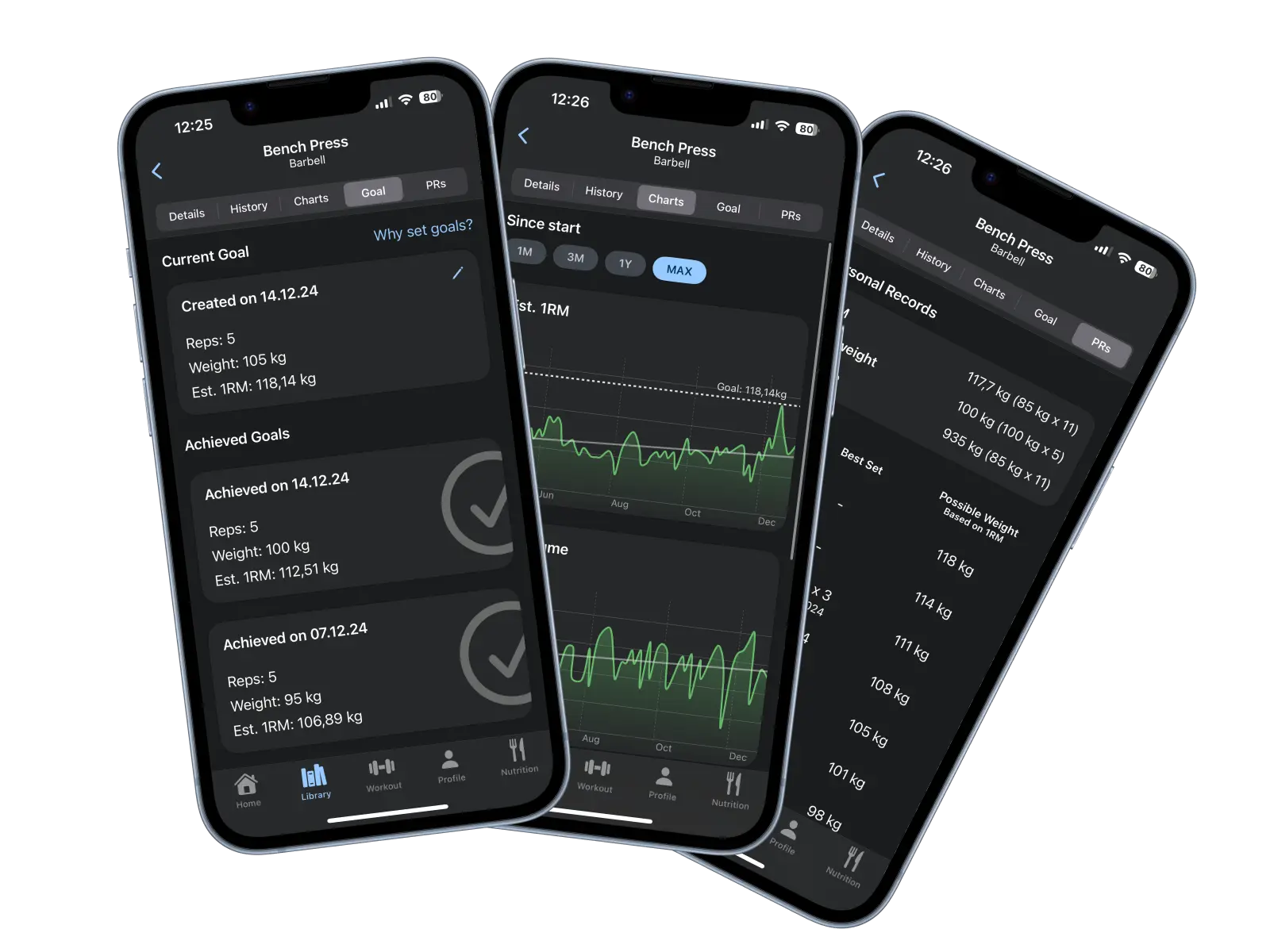
One good session is not a trend. Lift keeps enough history to tell the difference:
- Weight and reps for every logged set
- Training volume, rep, and duration trends
- Estimated one-rep max over your whole history
- Personal records and per-exercise goals
- Workout calendar with weekly and monthly summaries
Estimated one-rep max is useful here because it folds weight and reps into a single number, so 100 kg x 5 and 95 kg x 7 become comparable instead of debatable. Viewed over months rather than sessions, a stall shows up as a flat line, which is a much better reason to change something than a single bad day.
Help with progression without giving up control
Lift does not need to write your program to be useful. Keep your own routine and exercise selection, and let the app handle the parts that are pure bookkeeping: the record of what you did, the target for the next set, and the progression rule per exercise.
If you would rather make every call yourself, leave automatic progression off. Previous performance, history, and the charts still work exactly the same, and nothing changes your sets without you.
Automatic progression is part of Lift Premium, which includes a 2-week free trial. Some capabilities require an account, internet access, or device permissions, and availability can vary by platform and region.
Useful tools for planning your progression
Free calculators on this site cover the arithmetic around a load increase. The one-rep max and weight plate calculators are also built into the app.
One-Rep Max Calculator
Estimate a working max from a set you have already completed, then pick a sensible starting weight for a new exercise.
Weight Plate Calculator
Work out which plates go on each side for a target weight, so a small increase is one you can actually load.
Progressive Overload Calculator
Turn your last working set into a session-by-session plan of weight and rep targets, and see when the load is due to go up.
More on progression
If you want the reasoning behind the method above, including what to do when linear progress stops working:
Progressive Overload: The Complete Guide
Progressive overload means gradually increasing the demand on a muscle so it keeps adapting. Adding weight is one way to do that, not the only one. Here is what each progression variable actually does, when to use it, and how to tell whether it is working.
Lift - Gym Log: Free vs Premium. What is Included and When to Upgrade
Lift's free tier is a complete workout, bodyweight, and calorie tracker with a few creation limits. Premium adds AI plan generation, automatic progression, expanded limits, full charts, reviews, and several tools. This page lists both sides and says when the upgrade is worth paying for.
How to Keep Progressing as an Intermediate Lifter
Once you can't add weight every session, progress has to come from somewhere else. Here's what "intermediate" actually means and how to run double progression on your lifts.
How Much Weight to Add and When to Add It
Add weight when you can complete your target reps on every working set with technique intact. The jump should be the smallest one you can actually load, which is usually a lot smaller than lifters expect.
How to Track Progressive Overload
Progressive overload is a claim about a trend, and you cannot see a trend you did not record. Here is the minimum worth logging, how to keep comparisons fair, and how to read the result without fooling yourself.
Periodization: What It Is and When It's Worth Using
Periodization is planned variation in load and volume over weeks and months. When studies match the total amount of work, it buys a small edge in maximal strength without a clear average advantage for muscle size, so it is better treated as a way to manage fatigue and peak for a date than as a requirement for progress.
Progressive overload FAQ
What is a progressive overload app?
It is a workout app that keeps the record progressive overload depends on: what you lifted last time, what to aim for now, and whether your numbers are moving over weeks rather than sessions. Lift does that per exercise and shows previous sets while you train.
How does progressive overload work?
You gradually increase the demand on a muscle over time, usually by adding reps, weight, or sets while keeping your technique consistent. Adding a small amount you can repeat next week matters more than adding a lot once.
Should I increase weight or reps first?
Reps first is the common choice, because one more rep is a smaller step than the smallest plate you own. Once every working set reaches the top of your rep range, add weight and build the reps back up.
How often should I increase weight?
As often as your performance actually supports it. Early on that can be most sessions on a lift. Later it may be every few weeks. A rep range with a defined upper limit turns that into a rule instead of a guess.
Can I use double progression in Lift?
Yes. Set a rep range on the exercise and enable automatic progression, and Lift builds reps at the current weight, then increases the load and resets the range once you hit the top. You can also run it manually and simply log your sets.
Does Lift track progressive overload automatically?
Lift records every set and shows previous performance and targets without any extra work from you. Whether the load also increases on its own depends on whether automatic progression is enabled for that exercise.
Can I use different progression methods for different exercises?
Yes. Progression is configured per exercise, so a heavy compound and an accessory can use different rep ranges and rules, and an exercise can follow a custom multi-week periodization cycle instead.
Spend less time deciding what to do next
Log your sets, let Lift keep track of the weight, the reps, and the rule you chose, and spend the session on the lift instead of the arithmetic.